Where to See Your Referral Activity
Last updated: January 30, 2026
You can view all of your referral activity directly inside your Stanley account — including who’s signed up, who’s currently on trial, and what payouts are pending.
Here’s how to find it:
🔐 Step 1: Log into your Stanley account
Start by logging into your Stanley account as usual
Click the three bars (☰) in the top left corner to open the main menu
Select the "Referrals" tab
Review your Referral Dashboard
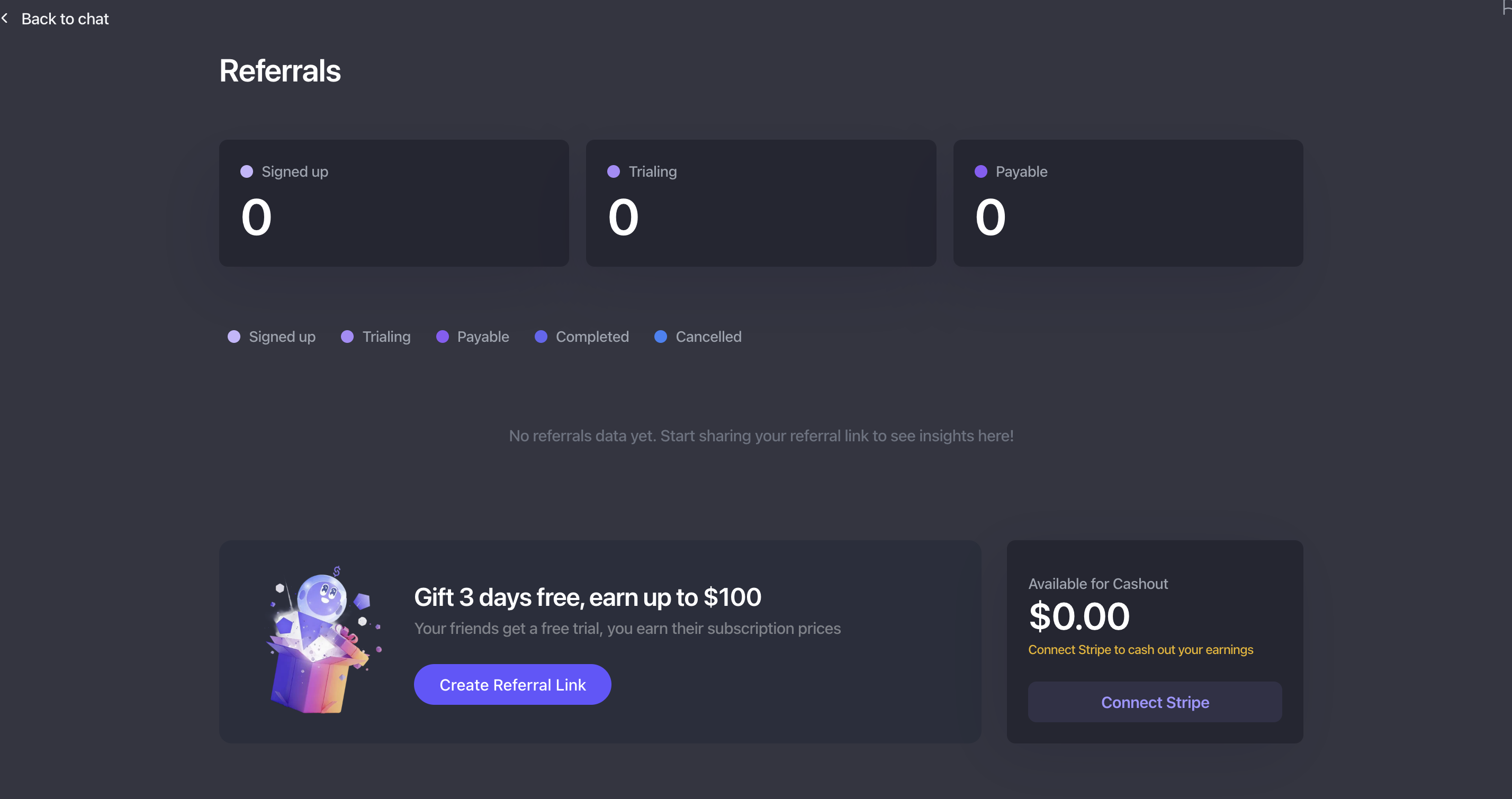
You’ll see your referral dashboard at the top of the page — this gives you a quick overview of:
Who has signed up using your referral link
Who is currently in trial
What payouts are payable
This dashboard is your central place to track referral progress and earnings at a glance!
🙋 Need a hand?
If you have questions about referrals or payouts, feel free to reach out to us at stanley@stanwith.me — we’re happy to help 💜