How to Connect a Stripe Account for Referral Payouts
Last updated: January 29, 2026
To receive referral payouts, you’ll need to connect a Stripe Account to your Stanley profile.
Follow the steps below to get set up.
How to Connect Your Stripe Account 📍
Log into your Stanley account
Click the three-line menu at the top of your screen
Select the Referrals tab
In the Available for cashout section on the Referrals homepage, click Connect Stripe
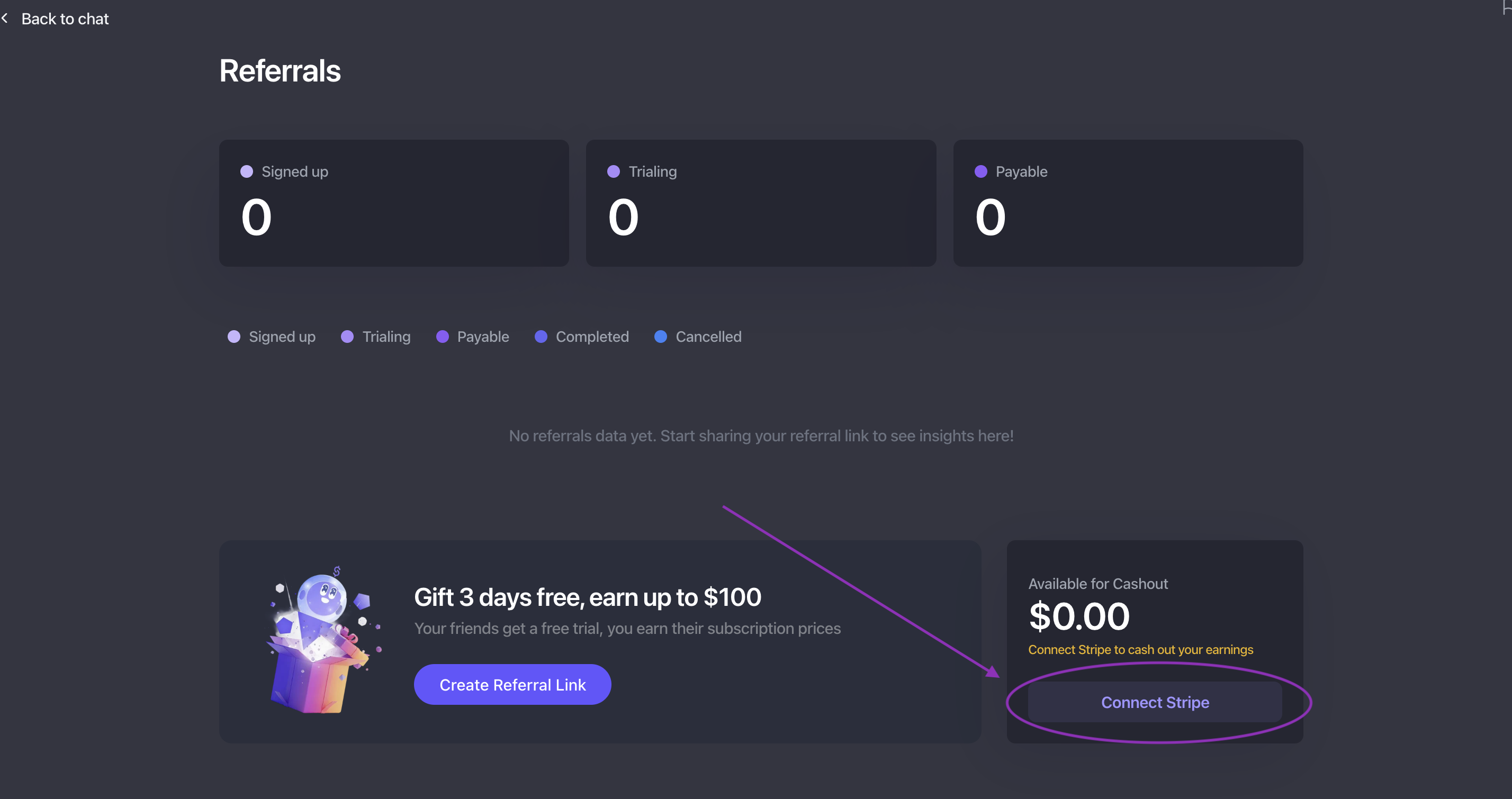
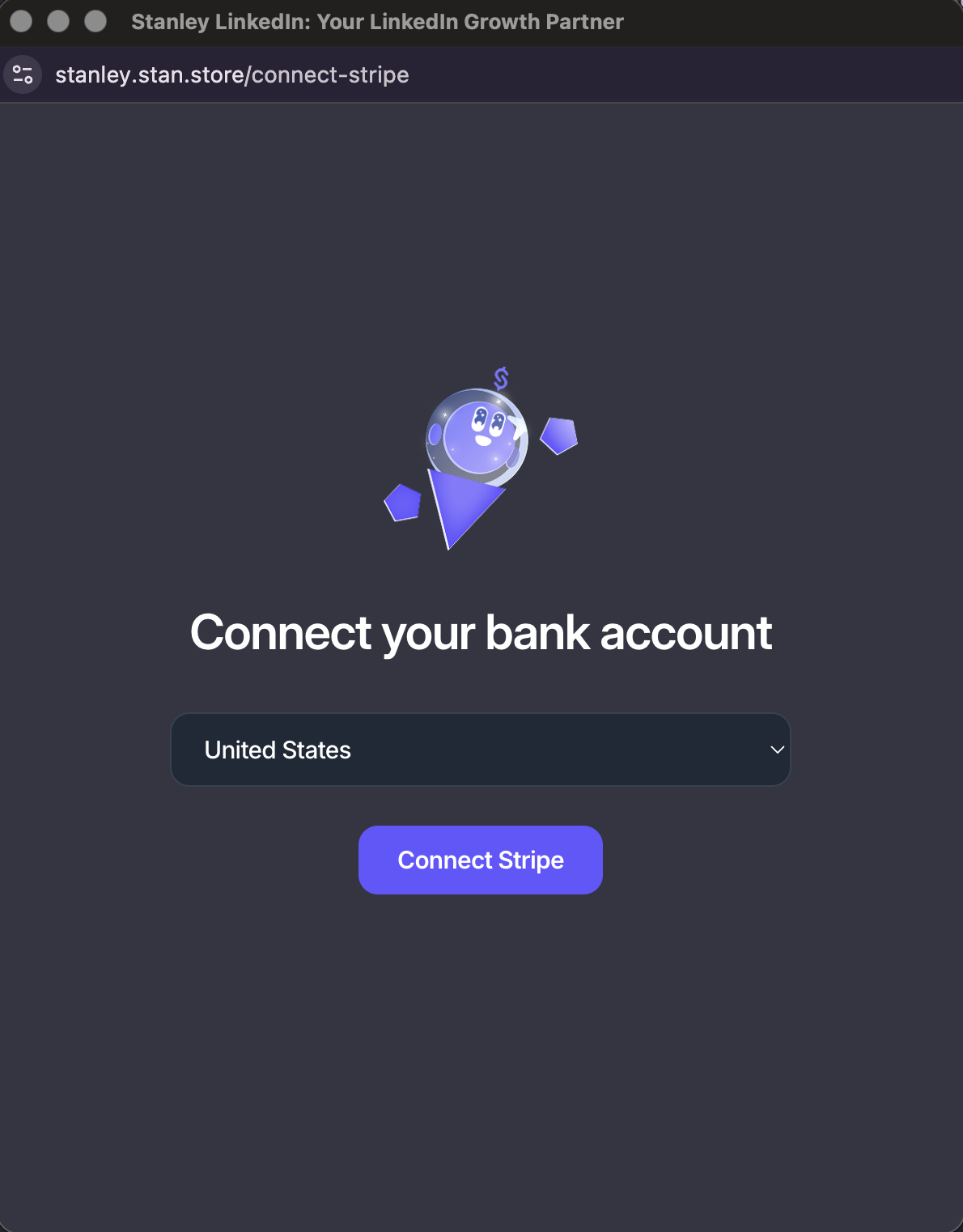
In the pop-up window, choose your Home Country and click Connect Stripe.
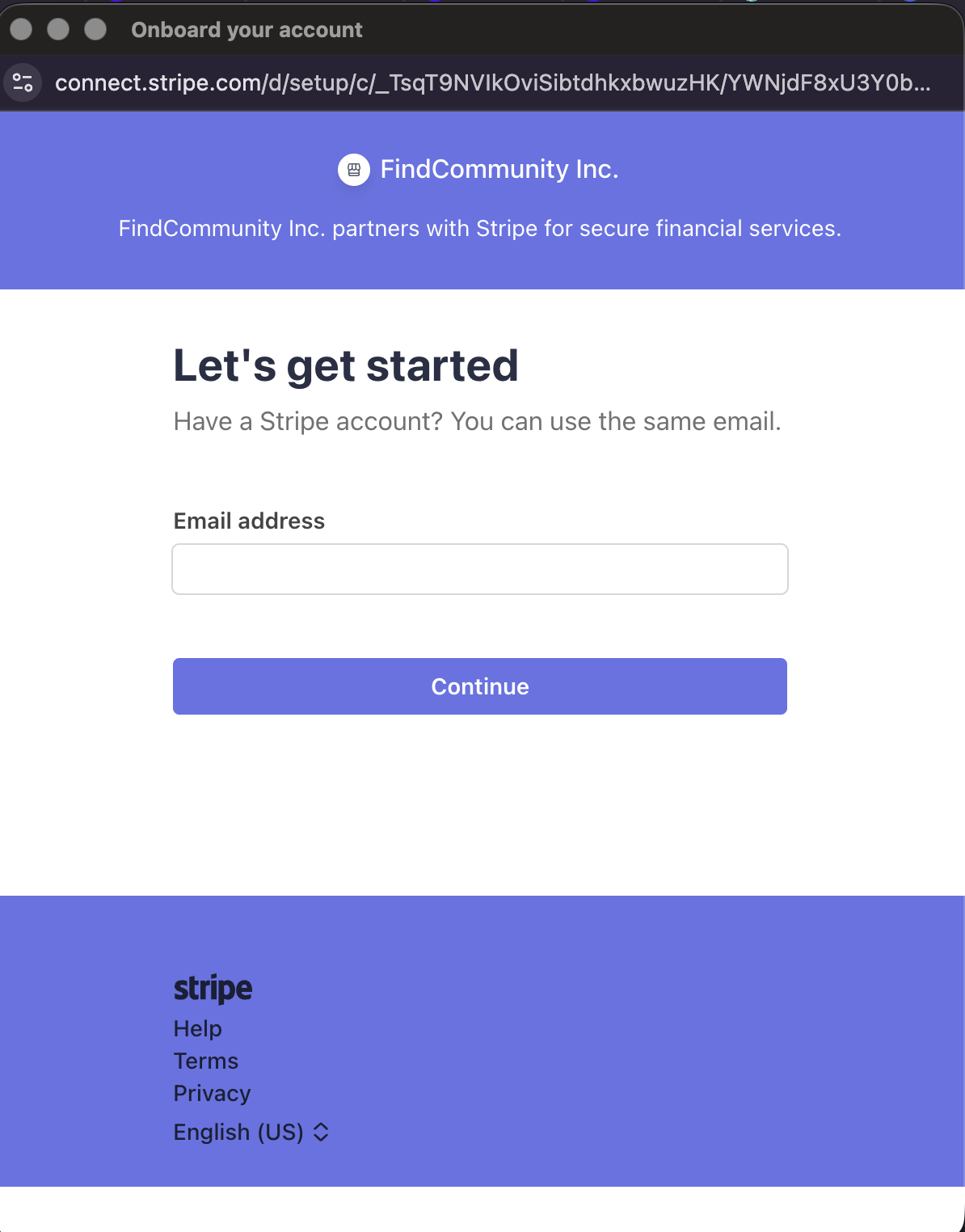
Next, enter an email address to an existing Stripe account
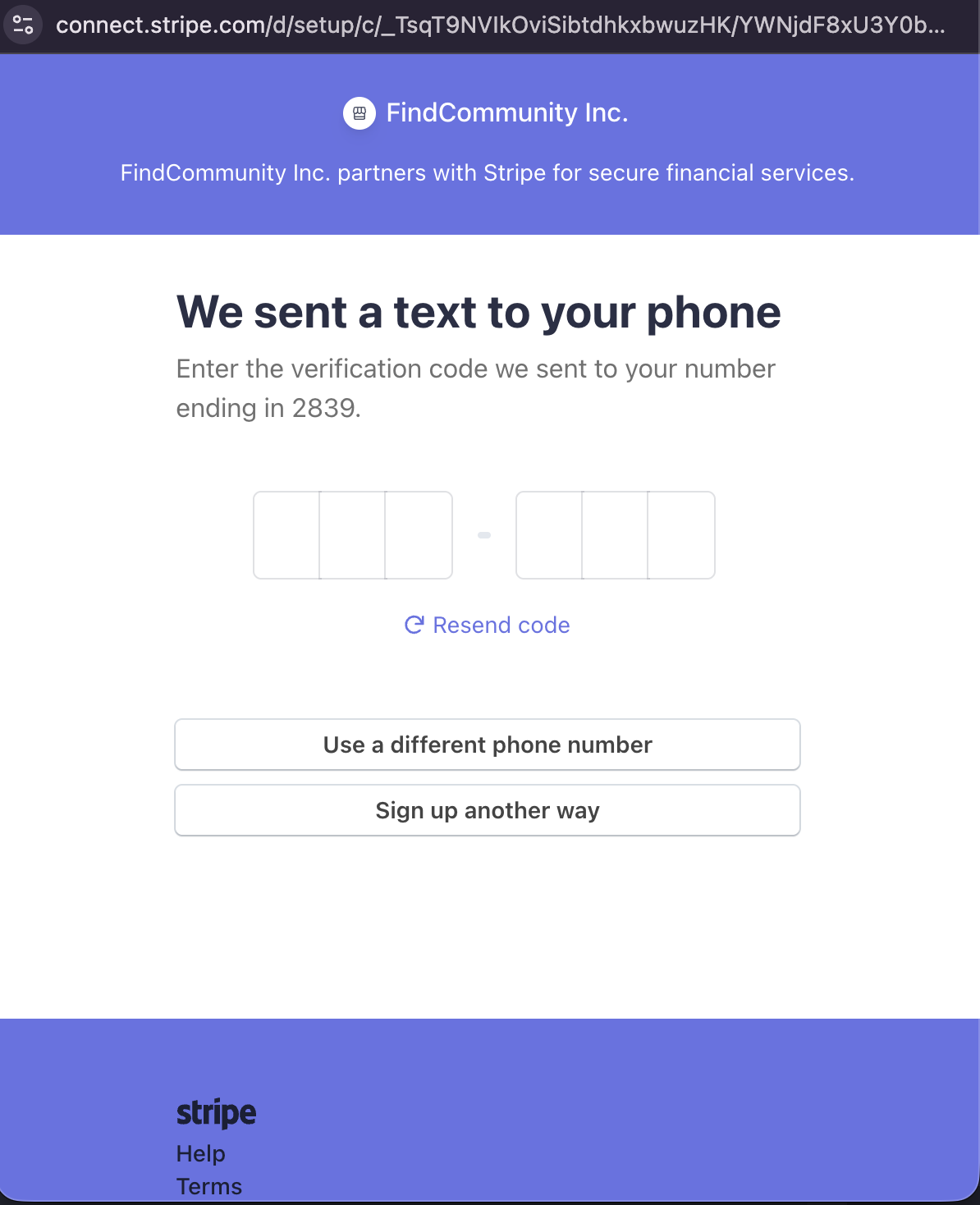
Once you connect an account, you'll be sent a verification text to the phone number associated with the account
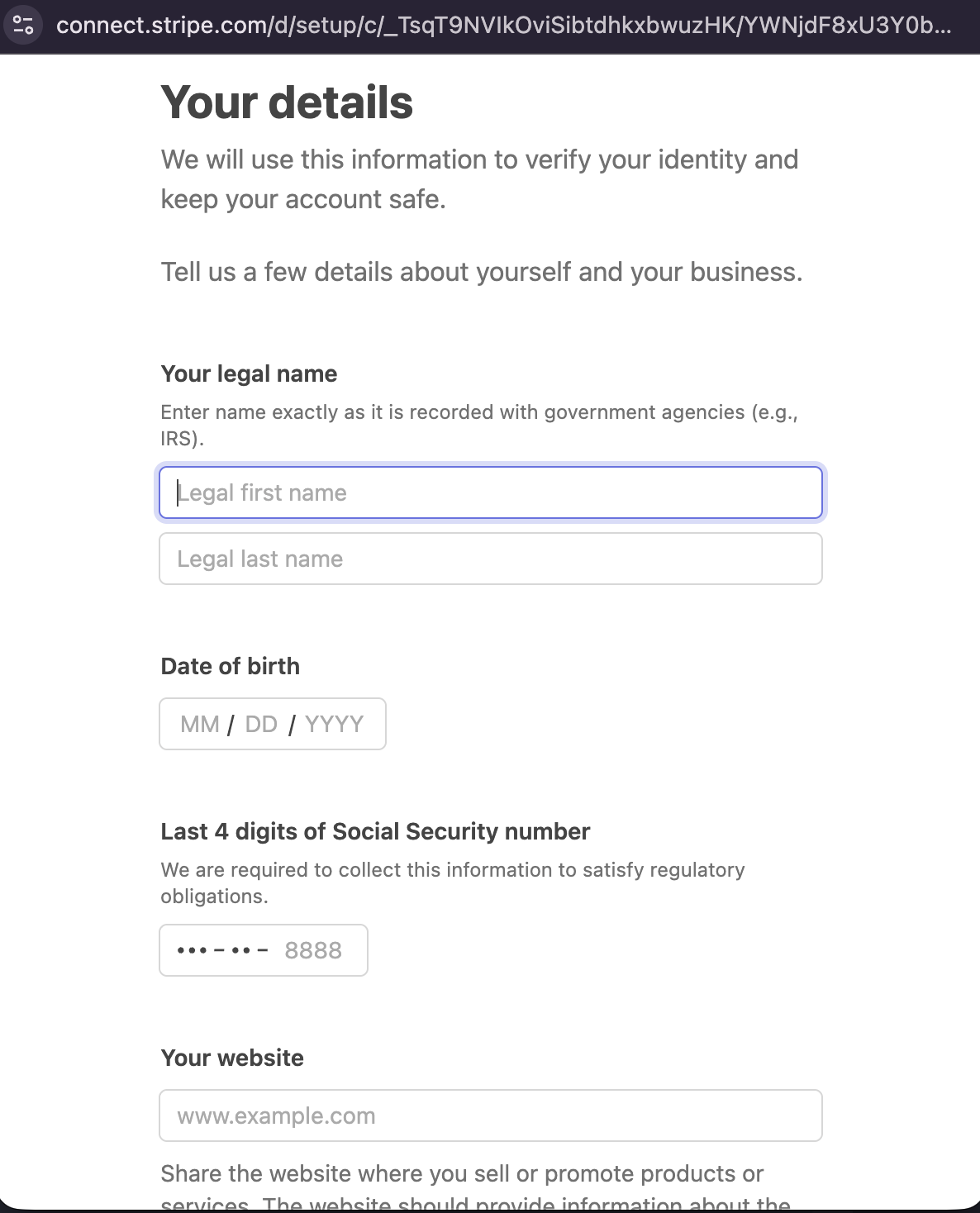
Next, provide your personal details and click submit:
Name (first & last)
Date of birth
Last 4 digits of your Social Security Number (SSN)
Website
Enter your bank account information for payouts
Review and submit your information! 🎉
Once connected, your referral payouts will be processed through Stripe!
A Quick Heads Up ⚠
You must have a Stripe account connected in order to receive payouts. If you don’t already have a Stripe account, Stripe will guide you through creating one during setup.
🙋 Need a hand?
If you run into any issues connecting your Stripe account or have questions about payouts, we’re here to help.
Just reach out to stanley@stanwith.me, and our team will take it from there 💜